
VIEWER FAQ

START BUTTON
Auto-play is enabled for Google Chrome Browser, Safari and Mozilla users will need to click the play button to start the Livestream.
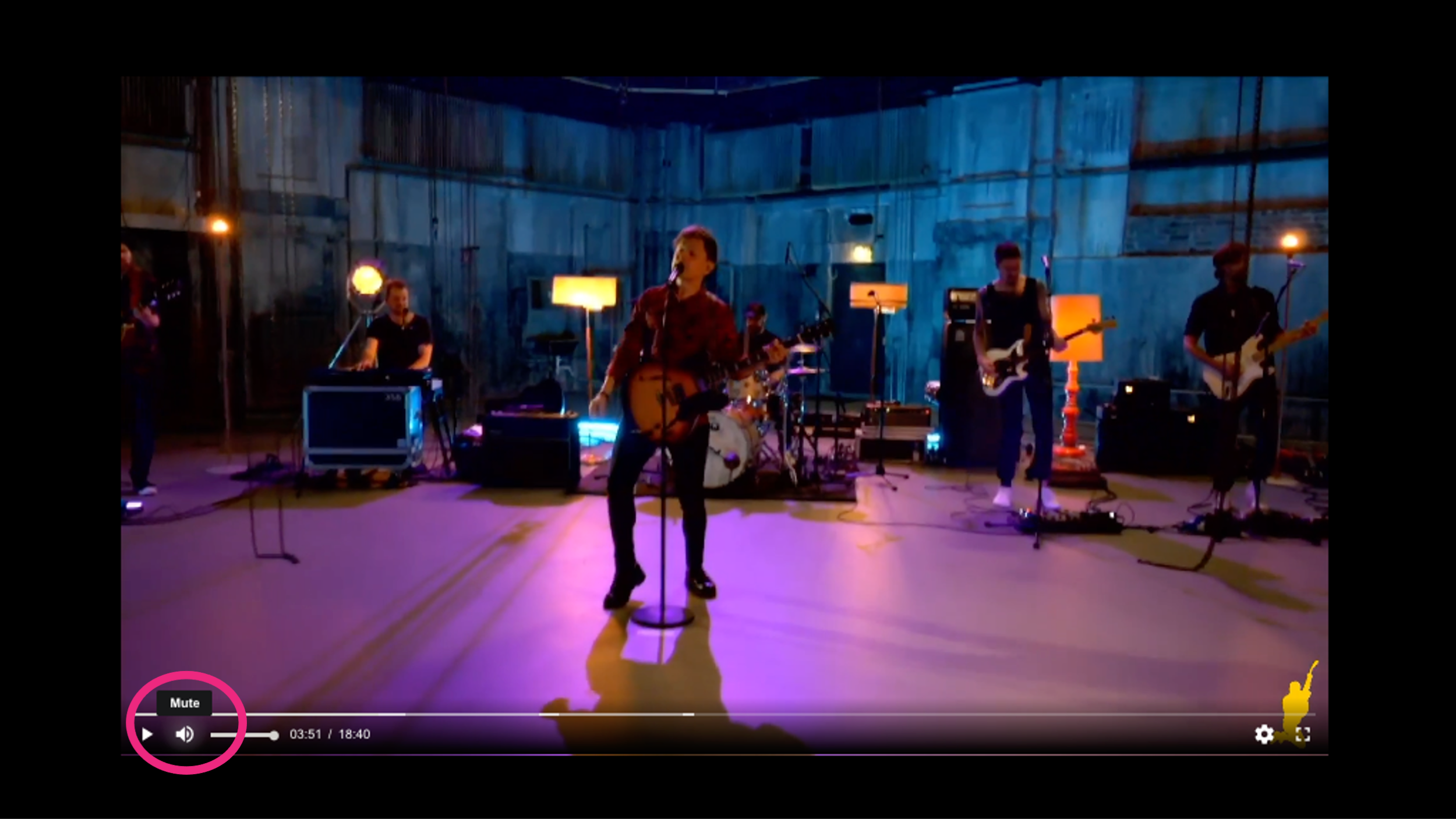
VOLUME CONTROL
The player features a volume control button located in the lower left.
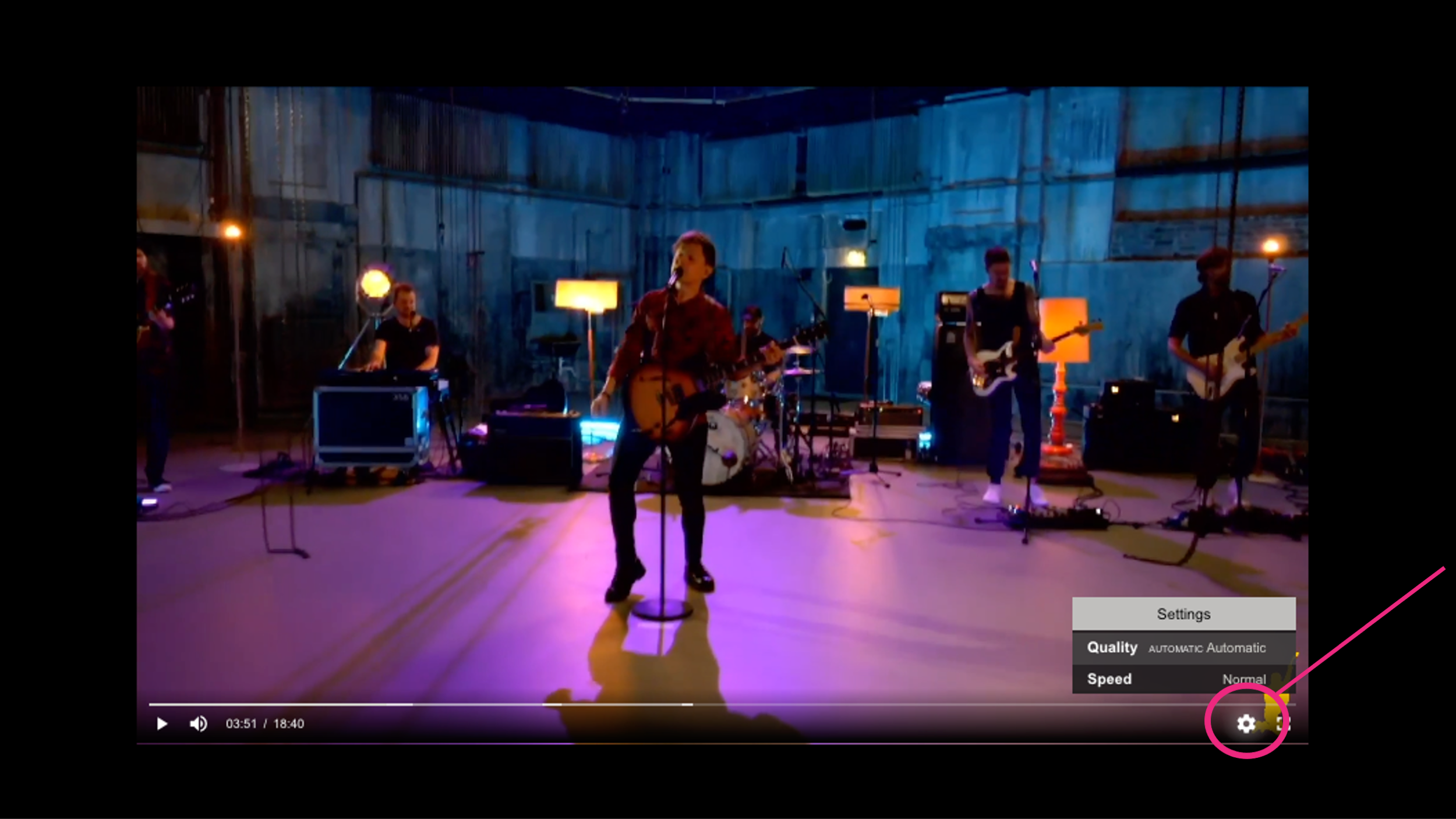
QUALITY ADJUST
While the server will auto-detect your internet connection in order to optimise your video quality, you can still manually adjust your video quality by clicking the settings button in the lower right corner.
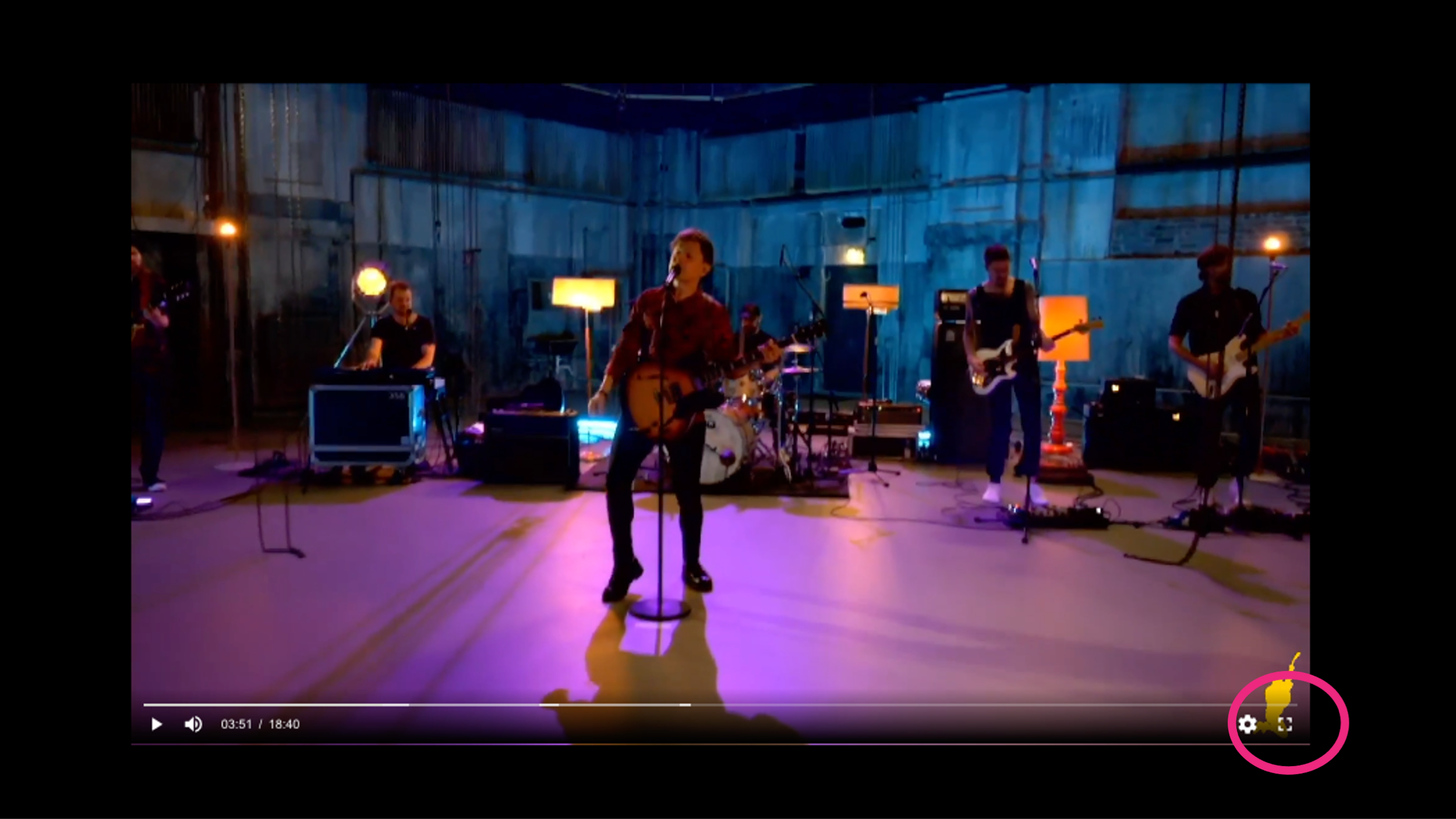
FULL SCREEN
Please use the fullscreen icon in the lower far right to expand the player to your entire screen.
CASTING
Casting is available on both Safari and Chrome browsers.
BANDWIDTH RECOMMENDATION
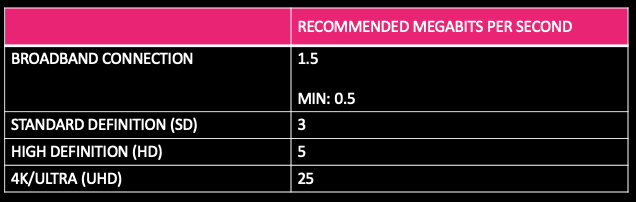
All numbers listed are the recommended download speed in mbps.